Monday, November 11, 2013

Programming

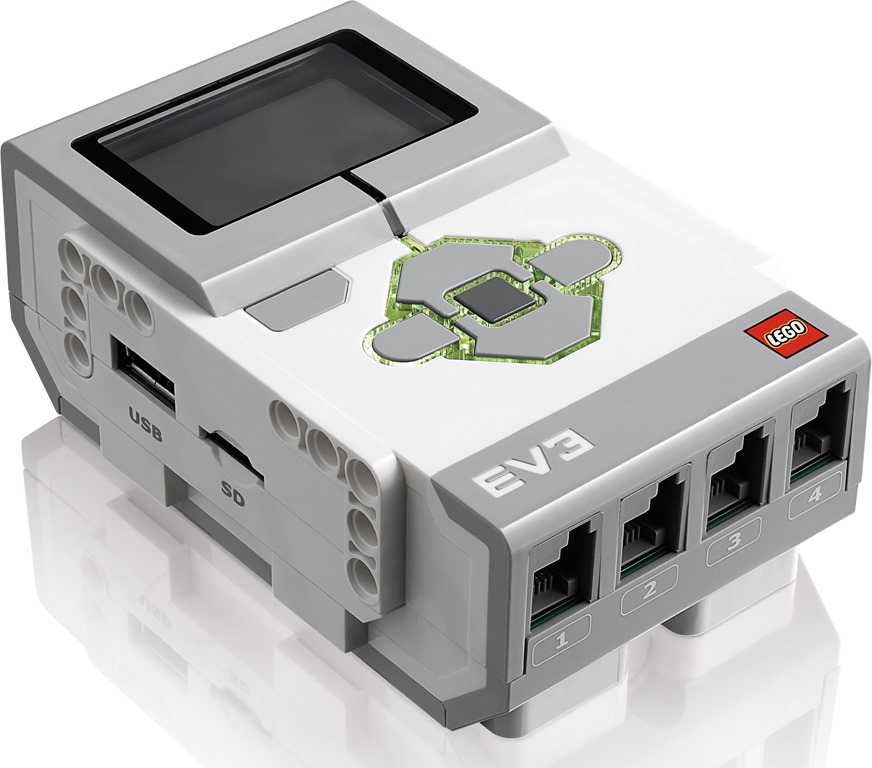
Programming is the action or process of writing computer programs. These programs are downloaded on the robot which give the robot a set of instructions of what to do and when to do them. Part of the mindstorm ev3 robot, is the ev3 brick. This brick is the "brain" of the robot. Whatever information is put into it, the robot does it. The brick is hooked up to different parts of the robot to control the "muscles" of the robot.


The information put into the brick is put in by explaining what to do when something happens. For example, when it sees the color red, it will stop, and when it sees the color green, it will go. Another example is when it notices something in its path, you can determine how far away from that object you want it to stop. There are a three different sensors that help the robot with these sort of things. This picture of Gyro Boy is going to be used as a reference:

1. On Gyro Boy's right hand, that sensor is the color sensor. You can program Gyro Boy to react to different colors in different ways.

2. On Gyro Boy's left hand, that sensor is the infrared sensor. This sensor is used to give the robot a sense of distance, direction, and if you use a remote controller, this will help with that too.

3. The last sensor, which isn't on Gyro Boy, is the touch sensor. This sensor can do a variety of things, but it goes off touch.

This is a summary of what each of the sensors do and what they look like in addition to a few of the "muscle" pieces of the robot:


My Robot

My physics teacher assigned my class to build a lego mindstorm ev3 (the newest one). To get things rolling, we built a robot that was programmed to move forward and stop a certain distance away from a box. The robot stopped because of its sensors. Then, we programmed it to drop the hook-like thing and move backward with the box in its grasp.


After we successfully completed the building and programming process, we joined forces with other groups for another challenge. We were supposed to simulate a line of cars stopping after the first car stops. We had one robot in front programmed to stop at a certain distance, then we placed the other robots a certain distance behind it. Those robots were programmed to stop 5 cm away from the robot in front of it, but there was a problem. The sensors were not picking up the robot in front of it, so we had to add a makeshift shark tail to the back of each robot. After we added this, the robots were able to sense the shark tail and stop. After we were done with this, we took the robot apart and were given a choice between four different robots to build. We ended up choosing Gyro Boy.


We built Gyro Boy with only minutes to spare before we had to take him apart, but when we put the battery in the ev3 core, it wouldn't turn on. We thought it was because we didn't charge the batteries long enough, but when we were building the robot, it was charging the whole time. Unfortunately, we were unable to actual program Gyro Boy and test him out, but we still had a lot of fun building him! This is what he would have done:
As you can see, Gyro Boy responds to each color differently causing him to do different things when presented a different color. Also, the stand seen in the beginning is used to help Gyro Boy get a sense of balance. Once he becomes balance, the stand is removed.

Robotics

What is a Robot?

A robot is a machine that is able to accomplish a complex series of actions automatically especially one that is programmed by a computer.

What is Robotics?

Robotics is the study of robots. It is the branch of technology that deals with the design, construction, operation, and application of robots.

How do robots work?

In order for a robot to be built, there must be five specific human features. They are as followed:

1. body structure

2. muscle system

3. sensory system (analyzes environment to understand what's surrounding it)

4. power source

5. brain system

The power system powers the body structure enabling it to move. Then, the sensory system evaluates the surroundings and sends the message to the brain system. Using this information, the brain system sends an order to the muscle system, telling it what to do. The brain system is usually made up from a human inputting patterns into a computer connected to the robot.